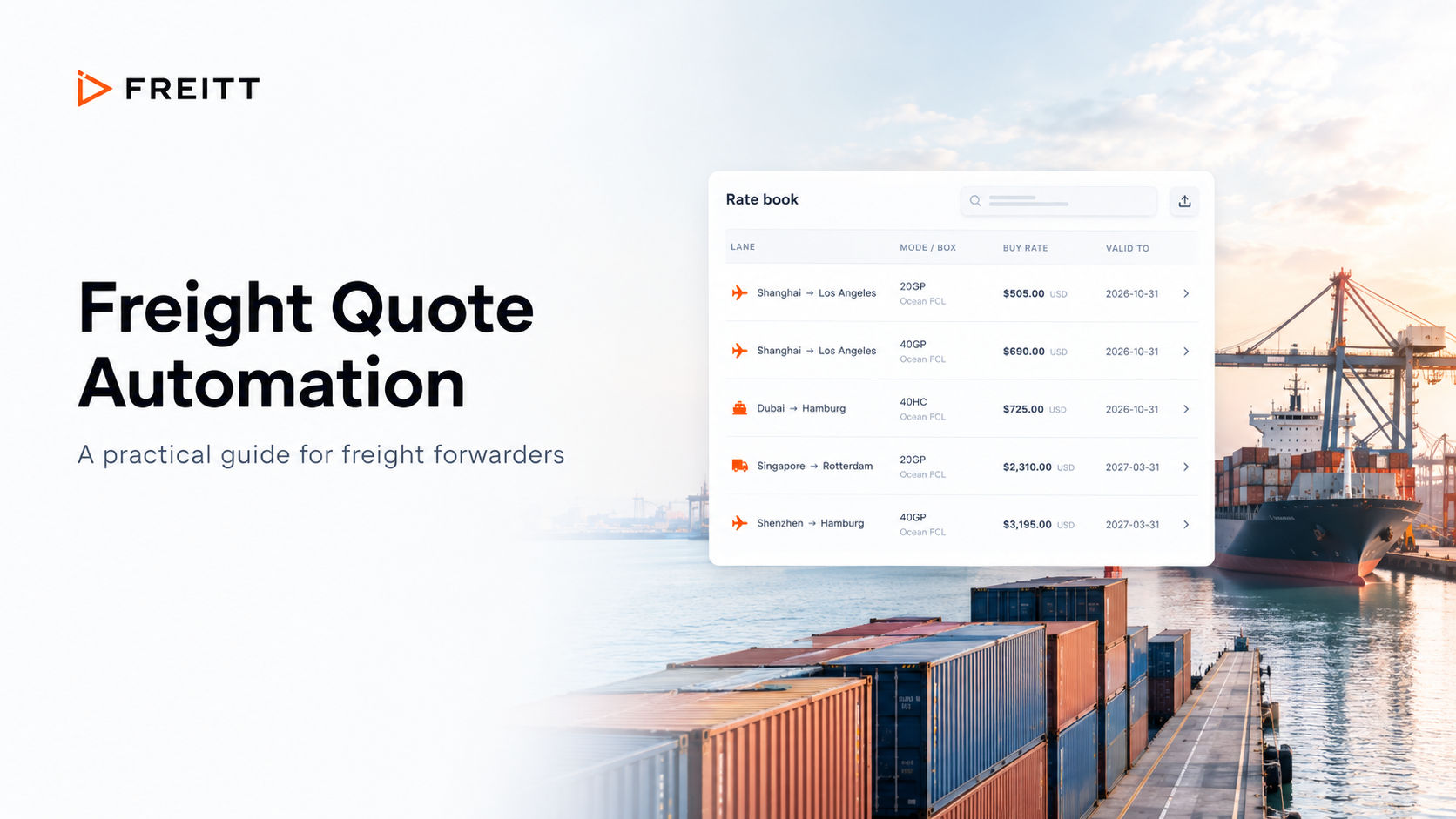
A freight quote can look simple once it reaches the customer: a route, a service, a price and a validity date. Preparing it is a different job. Someone has to reconcile the email with its attachments, find the right rate, check the charges and decide whether the offer is ready to send.
For a small forwarding team, those steps compete with shipment updates, carrier conversations and existing customers. The problem is rarely a shortage of freight knowledge. It is the amount of repeated preparation required before that knowledge can be applied.
Freight quote automation software helps turn an incoming request for quotation (RFQ) into a structured, priced draft. A useful system makes the supporting information easier to check and leaves commercial decisions with the team. This guide explains how to evaluate that workflow, where Freitt fits and what to measure before expanding automation across your desk.
Key takeaways
Automate the preparation around a quote: reading requests, organizing shipment details, finding approved rates and drafting the response.
Check how the software handles missing dimensions, ambiguous units and unavailable rates before judging its speed.
Make source rates, pricing rules and the final human review easy to inspect.
Evaluate total handling time, including corrections, approvals and rate maintenance.
Start with a defined group of requests and clear ownership, then expand when the process works reliably.
What is freight quote automation software?
Freight quote automation software connects the information needed to prepare a customer quotation. Depending on the product, it can read a request, extract shipment details, retrieve rates, apply pricing rules and produce a draft for review. The useful unit of automation is the whole request-to-draft process, rather than one calculation in isolation.
That distinction matters when comparing tools. A freight calculator helps compute a price from supplied inputs. A rate database helps organize buying rates. An email assistant can help write a reply. When evaluating quote automation, ask how those activities connect and where a person must still move information between them.
Freitt describes its offering as software for small forwarding teams that reads emailed RFQs, prices from their own rate sheets and prepares replies for people to review and send. Its positioning covers air, ocean and road freight, alongside the tools a team already uses. See Freitt’s quote automation overview.
Why the work between the email and the price matters
Start by examining the handoffs in your current process. Where does the shipment information first become structured? Who decides which version of a rate sheet applies? Where are additional charges recorded? Who notices that a quote is waiting for clarification?
Each answer reveals something a software demo should address. If an operator must rebuild the shipment record after the draft arrives, much of the preparation remains. If a reviewer has to search for the original rate, a polished output may simply hide the work that still needs doing.
The customer also needs more than a quick total. The offer should make its scope understandable: the route and service, what is included, what is excluded and when the price expires. Faster preparation is valuable when it creates room for that final check.
Treat the quotation as a chain of decisions. Shipment details determine which rates might apply. The rate basis determines the calculation. Charges and commercial rules shape the offer. The reviewer decides whether the finished quotation answers the customer’s actual request.
How an automated freight quoting workflow should work
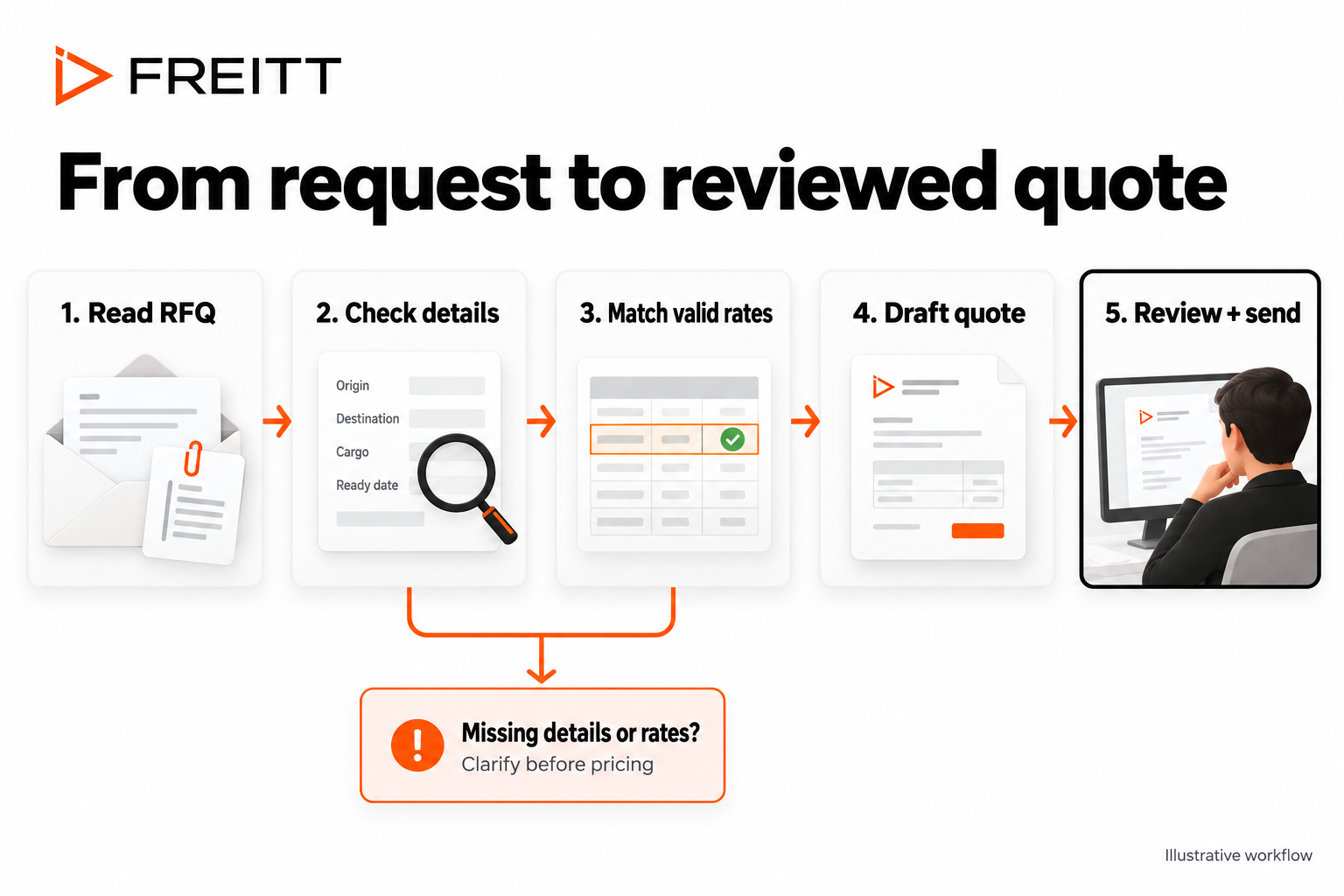
1. Read the RFQ and its supporting documents
The starting point should reflect how customers actually contact your business. Test the messages and attachments your team receives, including requests that are incomplete or difficult to interpret. A clean demonstration email cannot show whether the tool handles your everyday workload.
Freitt’s email-to-quote workflow uses forwarded messages and supports PDF, Excel, Word and image attachments. It extracts shipment information and flags uncertain fields for review. Its current connection method is forwarding; the product page lists native Gmail and Outlook connections as forthcoming. Explore Freitt’s email-to-quote workflow.
2. Resolve the details that affect the price
Before pricing, check that the record contains enough information to describe the requested movement. Depending on the shipment, that can include the origin and destination, freight mode, package count, dimensions, weight, ready date and collection or delivery requirements.
A blank field and an uncertain field need different attention. Missing dimensions call for clarification. Conflicting weights call for comparison with the source documents. The reviewer should be able to see the problem without rereading the entire conversation.
Ask the vendor to demonstrate what happens next: whether the request waits visibly, whether the missing information is explained and how the workflow continues when an answer arrives. A useful exception process keeps ownership clear.
3. Match a valid rate and build the charges
Rate selection needs context. A rate on the correct lane may still use the wrong service, equipment type, quantity band or validity period. Check whether the software exposes those conditions and whether the reviewer can follow the calculation back to its source.
Freitt’s rate-sheet automation works with existing Excel sheets, maps their fields and excludes expired rate lines from quoting. Its product page describes traceability to the sheet and rate line behind a charge. That provides a concrete point to test with your own rate book. Review Freitt’s rate-sheet automation.
For your evaluation, choose requests that require more than one charge. Inspect how the draft presents the main freight amount, collection, delivery and any applicable extras. A reviewer should be able to distinguish a confirmed charge from an item that still requires a supplier answer.
4. Apply commercial rules consistently
Document your pricing policy before configuring it. Specify which customers or lanes have agreed rules, who may approve an exception and what evidence the reviewer needs. Automation will be easier to assess when two people can explain the intended outcome in the same way.
Freitt offers margin rules by customer, lane and mode, plus approval routing. These controls are listed in its Growth plan. Check the relevant plan and demonstrate the rules your desk needs before relying on them in a live process. Read about margins and approvals.
5. Review the offer and send the reply
The last check is commercial as well as numerical. Does the proposed service meet the customer’s request? Are the inclusions and exclusions clear? Is the validity period visible? Does the wording promise anything the supporting information does not establish?
In Freitt’s workflow, a person reviews and sends the customer reply from their own email. Build your process around a named reviewer and an agreed handoff. A finished draft still needs an owner, especially when the original operator is unavailable.
What to look for when comparing software
Compare products with a small set of actual RFQs and your corresponding rate sheets. Give each vendor the same evaluation criteria so the result reflects your operation. The following questions help turn broad feature claims into observable behavior.
Can the reviewer explain the result?
Ask an operator to trace one completed quote from the original request to the proposed price. They should be able to identify the shipment inputs, the selected rate, the calculation and any adjustments. Record the places where they need help or must leave the workflow to investigate.
What happens when the input is incomplete?
Include a request with an omitted field and another with conflicting information. Check whether the uncertainty is visible and whether the next action is specific. The strongest demonstration may be a draft that correctly waits for an answer.
How much work moves into maintenance?
Assign someone to test a rate update. Observe how they replace an expired sheet, confirm its mapping and check the result. Ask who owns that work in normal operation. Time saved on individual quotes must be considered alongside the effort required to keep pricing inputs useful.
Does it fit the way the team works?
Clarify whether adoption requires forwarding rules, a new interface, changes to customer submissions or a deeper systems integration. These are different changes with different owners. Test the actual handoff to your existing operations process, including where the final quote record is kept.
Freitt says it works alongside a transport management system (TMS). Its pricing page lists TMS/FMS API integration under Enterprise. Working beside an existing system should therefore be distinguished from having a particular integration already configured. Check Freitt’s current plans for the capabilities you need.
A practical way to introduce freight quote automation
Choose a starting scope that the team can explain in one sentence: a recurring lane, a particular mode or a group of requests using a well-maintained rate sheet. Include representative exceptions within that scope so the pilot does not succeed only on unusually tidy inputs.
Before the pilot, record how those requests are handled manually. Track active working time separately from elapsed customer waiting time. A quote can take little hands-on effort yet spend hours waiting for a clarification or an approval; the distinction helps identify what actually needs to improve.
Prepare the rate sheets and commercial rules with the people who use them. Confirm naming, validity dates, units and ownership. Keep a record of the expected result for each test request so the team can compare the automated draft with an agreed reference.
During the pilot, review every draft and record corrections by cause. Was a field extracted incorrectly? Was the source rate unclear? Was a charge missing? Did the customer change the request? These categories make the next action more useful than a single accuracy score.
Expand when the operators can review drafts confidently, update rates consistently and resolve exceptions without losing track of requests. Keep a route for specialist shipments that need additional investigation. Growth should follow demonstrated readiness within your own workflow.
How to measure whether automation is helping
Measure the work from receipt to a usable customer response. Draft creation time alone leaves out the review, corrections and handoffs that determine the practical result.
Active handling time: the minutes spent preparing, checking, correcting and sending each quote.
Elapsed response time: the time between the RFQ arriving and the first usable reply, with clarification delays identified.
Correction patterns: the type and severity of changes needed before a draft is acceptable.
Exception ownership: whether every waiting request has a reason, an owner and a next action.
Ongoing upkeep: the effort spent refreshing rates and maintaining pricing or approval rules.
Compare similar request types and include both straightforward and difficult quotes. Use the median alongside a review of the slowest cases so one unusual request does not dominate the result. Record how many requests were included and avoid treating a short pilot as proof of performance across every mode or customer.
Commercial outcomes need context too. If more quotes convert into shipments, examine service availability, pricing, customer mix and follow-up as well as response speed. Automation may contribute to a better process, but a change in win rate does not establish its cause by itself.
Where Freitt fits
Freitt is worth evaluating when a forwarding team wants to connect emailed requests with its existing rate sheets and retain control of the customer reply. The relevant question is whether that approach removes enough preparation from your desk to justify adoption.
Bring the difficult parts of your process to the demonstration: a messy attachment, a recently updated rate sheet, a customer-specific rule or a request with no matching rate. Seeing how those cases are handled will tell you more than reviewing a finished quote alone.
The goal is a quotation your team can explain and stand behind, prepared with fewer repeated steps. Start with one real RFQ and its supporting rate sheet. Book a Freitt demo to follow the request through to the reviewed draft.
Frequently asked questions
What does freight quote automation software do?
It helps prepare a customer quotation by connecting request intake, shipment details, rates, pricing rules and drafting. Capabilities vary by vendor. Evaluate the full path from the incoming RFQ to the reviewed reply, including the work a person still needs to perform.
Can Freitt use our existing Excel rate sheets?
Yes. Freitt’s rate-sheet product page describes importing existing Excel sheets and mapping their columns. During evaluation, use your actual files and verify the applicable lane, pricing basis, validity dates and charges. Also test the process for refreshing the sheets.
What happens when there is no valid rate?
Freitt states that it flags the gap and drafts a carrier inquiry rather than supplying an invented price. The team still needs to obtain the missing rate and review the resulting offer. This is a useful case to include in a live demonstration.
Does Freitt automatically send quotes to customers?
No. Freitt prepares drafts for a person to review and send. Your operating process should specify who handles that review, who can approve exceptions and how responsibility transfers when someone is away.
Does quote automation replace a TMS?
Not necessarily. Quote automation addresses preparation of the customer offer, while the relationship with a TMS depends on the product and implementation. Freitt positions itself alongside existing systems. Confirm any required data exchange separately rather than assuming compatibility includes a configured integration.
How should a small forwarder decide whether it is worth using?
Run a focused pilot with representative RFQs. Compare handling time, corrections, exception management and rate-maintenance effort with your current process. Consider the plan required for your rules and integrations. The decision should rest on results your own team can verify.