Freight forwarders handle quote requests from multiple customers, each with different shipment details, routes, service requirements, and deadlines. Preparing each quote manually can involve searching through Excel rate sheets, checking carrier charges, calculating surcharges, applying margins, and formatting a response.
As shipment volumes grow, this process becomes increasingly difficult to manage. A delayed quote can mean a missed opportunity, while a pricing error can reduce profitability or damage customer trust.
Freight quote automation helps forwarders streamline this process by turning incoming requests and existing rate information into structured, ready-to-review quotes.
Instead of manually completing every step, teams can automate repetitive tasks while retaining control over pricing decisions and approvals.
This guide explains how freight quote automation works, what to look for in freight quote automation software, how to avoid common implementation risks, and how to improve your quoting workflow.
What Is Freight Quote Automation?
Freight quote automation is the use of software to reduce the manual work involved in receiving, preparing, calculating, and sending freight quotations.
Depending on the system, automation can extract shipment details from emails and attachments, match those details against available freight rates, apply pricing rules, and prepare a quote for review.
A traditional freight quoting process often requires an employee to move between emails, spreadsheets, carrier portals, internal pricing documents, and quotation templates. Automated workflows bring more of these steps into one process.
Manual freight quoting | Automated freight quoting |
Shipment details are entered manually | Details can be extracted from supported emails and documents |
Employees search through rate sheets | Software can help match shipment details to available rates |
Pricing is calculated manually | Configured pricing rules can automate calculations |
Quotes are prepared individually | Quote drafts can be generated from structured information |
Checks depend heavily on individual employees | Validation rules and approval workflows can support consistency |
Automation does not eliminate the need for freight expertise. Rates still need to be accurate, unusual shipments may require additional checks, and commercial decisions may need human approval.
The objective is to reduce repetitive work so that freight professionals can focus on pricing decisions, customer relationships, and complex shipments.
How the Freight Quoting Process Works
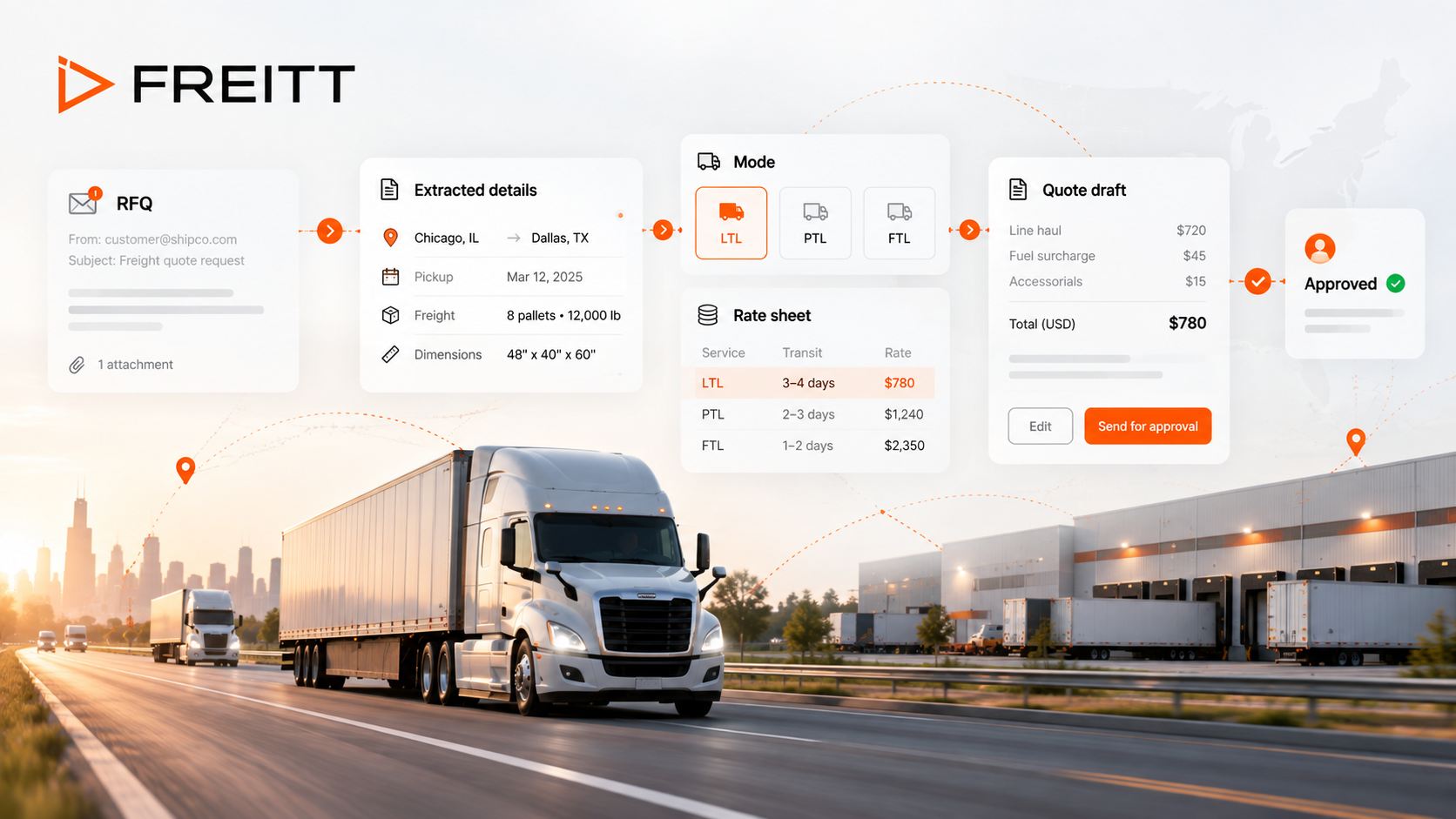
A typical automated freight quoting process follows six steps, from receiving a request for quotation (RFQ) to delivering a response.
1. Receive the RFQ
A customer may request a quote by email, send an Excel file, or provide shipment details through another channel.
The request may include:
Origin and destination
Cargo description
Weight and dimensions
Number of packages or pallets
Required transport mode
Pickup and delivery requirements
Special handling instructions
The first step is to bring these requests into a manageable workflow. Depending on the software, this may involve email integrations, document uploads, or other intake methods.
2. Extract and validate shipment details
Incoming requests are not always complete or consistently formatted. One customer might provide dimensions in a spreadsheet, while another includes them in an email.
Freight quote automation software can extract available information and organize it into structured fields. The system should also help identify missing or inconsistent details before pricing begins.
For example, a request may include the shipment weight and destination but omit dimensions. For air freight, those dimensions may be essential to calculating chargeable weight.
Important: Extracted information should be checked before it is used to generate a final quote. Incorrect units, ambiguous addresses, or missing shipment details can affect the entire calculation.
3. Match the shipment to available freight rates
Once the shipment details are organized, the next step is to identify applicable rates.
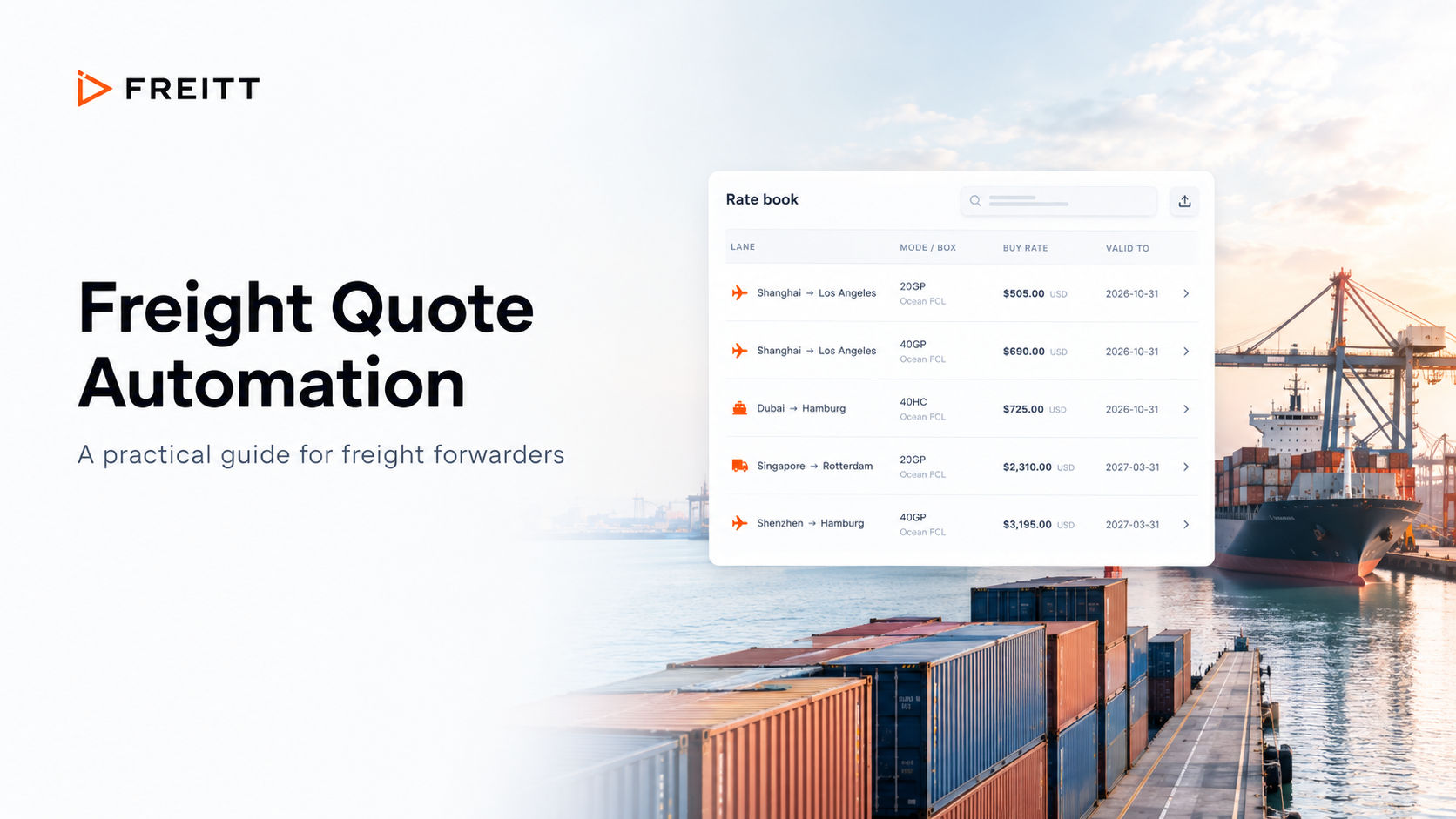
Freight forwarders may store rates in Excel spreadsheets, carrier rate sheets, internal pricing databases, or transportation management systems (TMSs).
Rate matching may depend on:
Origin and destination
Transport mode and service level
Weight breaks or volume
Effective dates and expiry dates
Carrier or service provider
Minimum charges and applicable surcharges
Automation can help locate relevant rates and reduce manual searching. However, it should not treat every available rate as valid. The system needs to account for rate conditions, validity periods, and shipment-specific requirements.
If no applicable rate is available, the workflow should flag the request for clarification or manual pricing rather than silently using an unsuitable rate.
4. Calculate the selling price
A freight quote may include several cost components, such as base freight, fuel surcharges, handling fees, documentation charges, and other applicable services.
The software can calculate the total cost and apply configured pricing rules, such as fixed fees, percentage markups, or minimum selling prices.
Consider an illustrative shipment with the following costs:
Cost component | Amount |
Base freight | $400 |
Surcharges | $60 |
Handling | $40 |
Total cost | $500 |
The final selling price depends on the pricing method.
Markup and gross margin are not the same. A 20% markup produces a gross margin of approximately 16.7%, assuming the $500 represents the full relevant cost.
Clear pricing rules help teams apply the intended calculation consistently and reduce avoidable margin errors.
5. Review and approve the quote
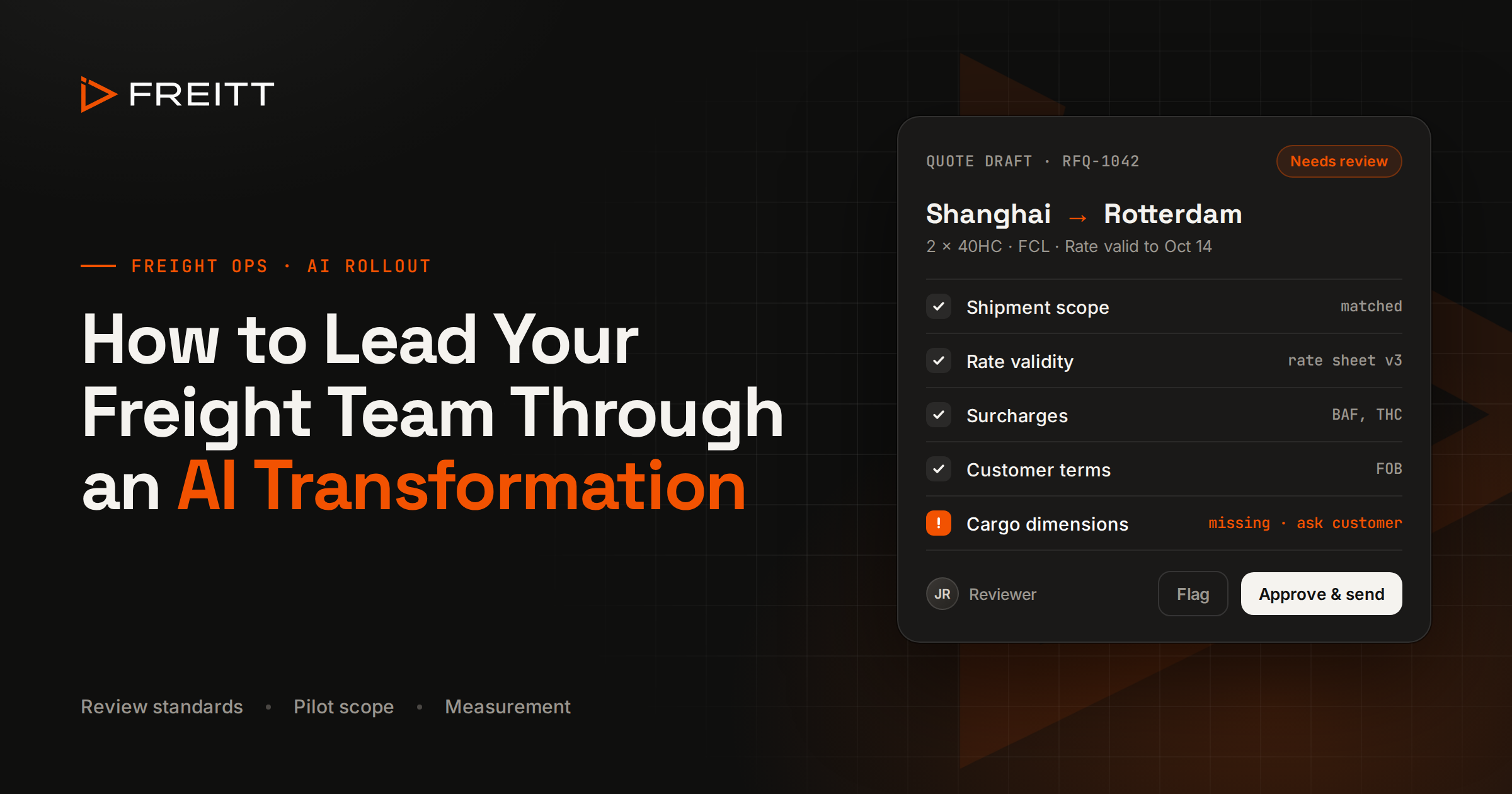
Before a quote is sent, the team should confirm that the shipment details, rates, charges, and selling price are correct.
A useful review process checks:
Whether the shipment information is complete
Whether the selected rates are valid for the shipment and quotation period
Whether applicable surcharges and accessorial charges are included
Whether the correct pricing rules have been applied
Whether the quote requires approval because of its value, margin, or special conditions
Routine quotes may need only a quick review, while unusual shipments or quotes below an approved margin threshold may require additional authorization.
Automation should make these checks easier, not remove necessary commercial oversight.
6. Generate and send the quote
Once the quote has passed the required checks, the system can prepare the quotation in the appropriate format.
Depending on its capabilities and configuration, the software may populate a quote template, organize charges, and prepare a response for the customer.
The final workflow should also make it clear which quotes have been drafted, approved, sent, or are awaiting further information. This helps teams follow up consistently and reduces the risk of requests being overlooked.
Key Features to Look for in Freight Quote Automation Software
Not all freight quoting tools automate the same tasks. Before choosing a solution, consider how well it supports your existing rates, pricing policies, and operational workflow.
Excel rate sheet compatibility
Many freight forwarders rely on Excel to manage carrier rates and customer-specific pricing. Replacing every spreadsheet immediately may be impractical.
Look for software that can work with your existing rate information and handle relevant fields such as routes, weight breaks, currencies, validity dates, and surcharges.
Also establish how the system handles updated files, conflicting rates, and expired pricing. Automating a spreadsheet-based workflow is useful only if the underlying data remains reliable.
Configurable pricing and margin rules
Your team may use different pricing policies depending on the customer, route, transport mode, or shipment type.
The software should support the pricing rules you actually use, with clear handling of markups, gross margins, fixed fees, minimum charges, and exceptions where applicable.
Authorized users should also be able to review or approve quotes that fall outside your normal pricing parameters.
Integration with your existing systems
A freight quoting workflow may connect with a TMS, customer relationship management (CRM) system, email platform, or internal rate database.
Integration can reduce duplicate data entry and make it easier to move information between quoting and other operational activities.
Before purchasing software, clarify which integrations are available, whether they are native or require custom development, and what data can be transferred in each direction.
Review, approval, and traceability
A good workflow should show where a quote stands and make exceptions visible.
Depending on the system, useful controls may include approval steps, records of pricing changes, access permissions, and a history of quote activity. These capabilities help managers understand how a quote was prepared and who authorized important decisions.
Common Risks in Freight Quote Automation
Automation can make quoting faster, but it cannot compensate for unreliable rates or poorly defined processes.
Outdated rates: A system may select a rate that has expired or been superseded. Maintain rate validity dates and establish a process for updating carrier information.
Missing charges: Base freight may be available while fuel, handling, documentation, or destination charges are missing. Define which cost components are required for each service and route.
Incorrect shipment details: Extraction errors involving weight, dimensions, units, or locations can lead to incorrect pricing. Validate critical fields and flag incomplete requests.
Inconsistent pricing rules: Different employees may apply different markups or interpret margin targets differently. Document the rules, configure them consistently, and control who can change them.
Insufficient review: Not every shipment should follow the same approval path. Establish thresholds for low-margin quotes, unusual cargo, missing rates, and other exceptions.
Limited visibility into results: Faster quote preparation does not necessarily mean more bookings or better margins. Track operational and commercial outcomes to understand whether the workflow is delivering value.
The key principle is simple: automate repeatable work, validate the information that drives pricing, and retain appropriate human oversight.
How to Measure Freight Quoting Performance
Measure the impact of freight quote automation against your existing process. Record a baseline before implementation, then compare performance after the new workflow is in use.
KPI | What it tells you |
Quote turnaround time | How long it takes to prepare and deliver a quotation |
Quotes processed per employee | How much quoting work the team can handle |
Pricing correction rate | How often a quote needs correction before or after sending |
Quote response rate | How consistently the team responds to incoming requests |
Quote-to-booking conversion | How many quotations result in confirmed business |
Gross margin per shipment | Whether pricing decisions support profitability |
For example, a reduction in turnaround time may indicate that employees spend less time gathering information and preparing quotes. However, if pricing corrections increase, the process may need better validation or approval controls.
Likewise, quote-to-booking conversion depends on factors beyond automation, including market rates, service quality, customer relationships, and the competitiveness of the offer.
Evaluate the metrics together rather than relying on a single measure of success.
How to Get Started With Freight Quote Automation
You do not need to automate every route, customer, and shipment type at once. A focused pilot can help you identify practical improvements before expanding the workflow.
Map your current process. Document how requests arrive, where rates are stored, how prices are calculated, and who approves quotes.
Choose a suitable pilot. Start with a manageable group of recurring shipments or routes that have relatively consistent pricing requirements.
Prepare your rate data. Check validity dates, required charges, currencies, units, and any route-specific conditions.
Define pricing and approval rules. Agree on how markups, margins, exceptions, and missing rates should be handled.
Test real RFQs. Compare automated quote drafts with quotes prepared by experienced team members. Investigate discrepancies before relying on the new workflow.
Measure the results. Compare turnaround time, correction rates, team workload, and commercial outcomes with your original baseline.
Once the workflow performs reliably, expand it to additional routes, customers, or shipment types based on your team's needs.
How Freitt Helps Streamline Freight Quoting
Freight quote automation is most useful when it fits the way your team already works. Freight forwarders need a practical way to process RFQs, work with rate information, and prepare quotations without adding unnecessary complexity.
Freitt helps freight forwarders streamline quote preparation by reducing repetitive work involved in turning shipment requests into quote drafts.
Rather than treating every RFQ as a task that must be assembled from scratch, a quoting workflow can help organize shipment information and use available rate and pricing data to prepare a response for review.
The right workflow still depends on accurate rate information, appropriate pricing rules, and checks for exceptions. Your team should retain control over the final commercial decision.
Explore Freitt's freight quoting solution or learn how Freitt works.
Ready to see what automation could look like in your workflow? See Freitt quote one of your real RFQs.
Frequently Asked Questions
What is freight quote automation?
Freight quote automation uses software to reduce manual work involved in receiving shipment requests, extracting shipment details, matching rates, calculating prices, and preparing freight quotations.
How does freight quote automation software work with Excel rate sheets?
Capabilities vary by platform. Some tools can process uploaded spreadsheets or use structured rate data to help match shipment requirements with applicable rates. Check whether the software supports your spreadsheet format, pricing conditions, surcharges, and rate validity dates.
Can automated freight quotes be sent without human approval?
Some workflows support automated sending, while others prepare drafts for review. The appropriate approach depends on the complexity of your pricing, the reliability of your data, and your internal approval requirements. Many teams benefit from keeping human approval for exceptions and higher-risk quotes.
Does freight quote automation replace a TMS?
Not necessarily. Freight quote automation focuses on preparing quotations, while a TMS generally supports broader transportation operations. Some businesses use both, depending on their requirements and the integration options available.
How can freight forwarders measure the value of quote automation?
Start by comparing quote turnaround time, quoting capacity, correction rates, quote-to-booking conversion, and gross margin. Use a baseline from your existing process to determine whether automation improves efficiency without compromising pricing quality.
Is freight quote automation suitable for small freight forwarders?
It can be, particularly for teams that handle recurring RFQs and spend substantial time searching rate sheets or preparing quotes manually. The best solution depends on shipment volume, pricing complexity, available integrations, and budget.