
Freitt Product Update: Introducing the Website Quote Widget, Webhook Integration and CRM
Capture shipment enquiries from your website or existing forms, prepare quotes for review, and track leads and deals in Freitt’s dedicated CRM.
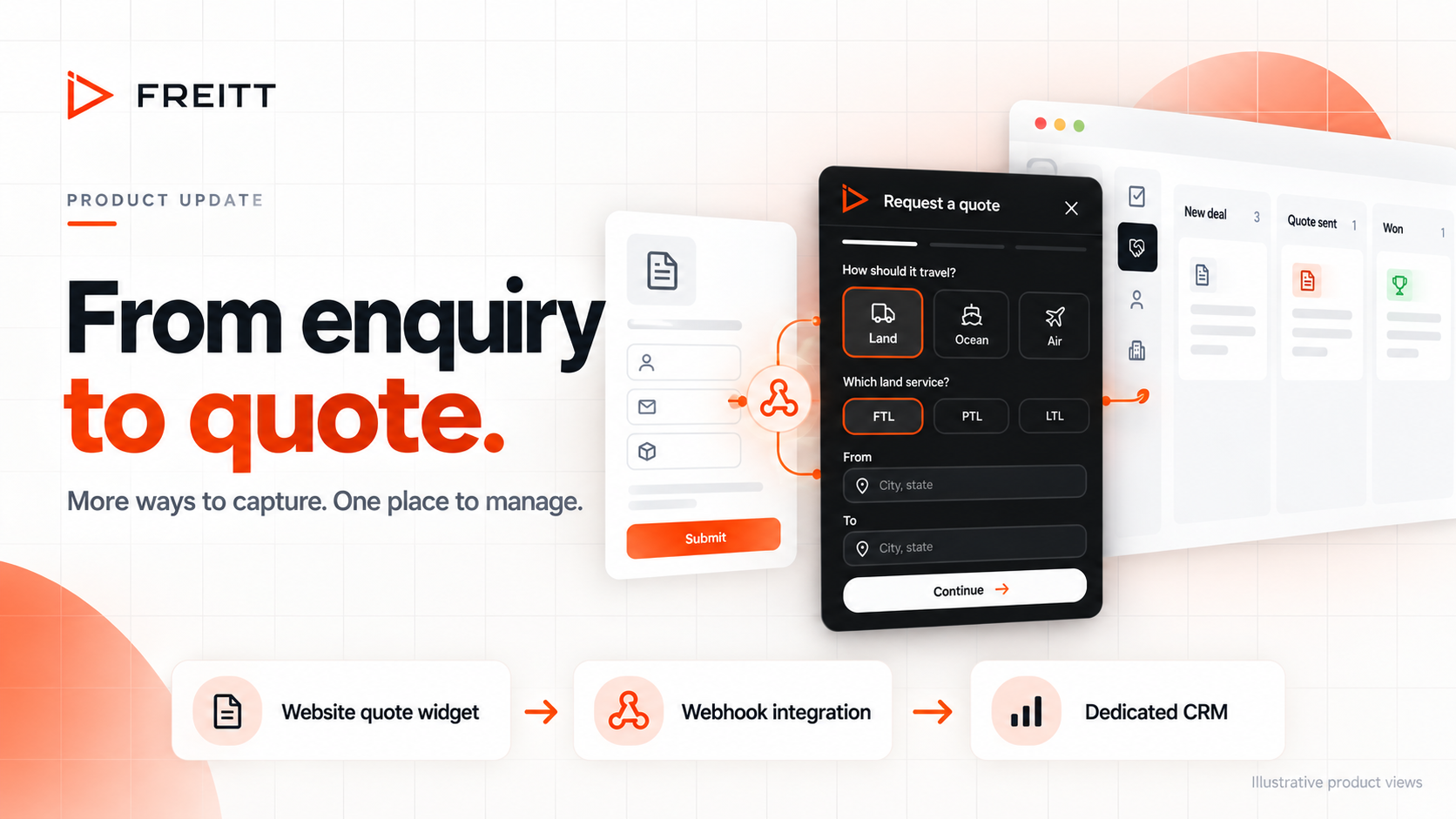
Over the weekend, we’ve been developing a few new features to help you bring more of your enquiry and quoting work into Freitt: a Website Quote Widget, a Webhook Integration for your existing forms, and a dedicated CRM.
Key takeaways
The website quote widget collects shipment details directly from your site.
The webhook integration brings submissions from existing forms into Freitt.
A dedicated CRM keeps leads, enquiries and quote progress in one place.
Your team reviews and approves every quote before sending it to the customer.
Together, they connect the first request with the work that follows. Customers can share shipment details through your website or an existing form. Freitt turns those details into a quote draft for your team to review. You can then track the enquiry and its quote in one place.
That means a clearer path from a customer asking for a rate to your team preparing a response and following up. Your team stays in control of the quote that reaches the customer.
Website Quote Widget: A quote request starts on your Website
The new website quote widget gives visitors a direct way to tell you what they need to move, while they’re already browsing your site.
The widget opens with a simple “Request a quote” form. In the Shipment step, customers choose Land, Ocean or Air and enter their origin and destination. Selecting Land reveals the relevant service choices: FTL for a full truck, PTL for a part truck, and LTL for a shared truck.
That choice adds useful context to the enquiry from the start. A customer asking about a full truck movement can identify it before your team begins preparing the quote.
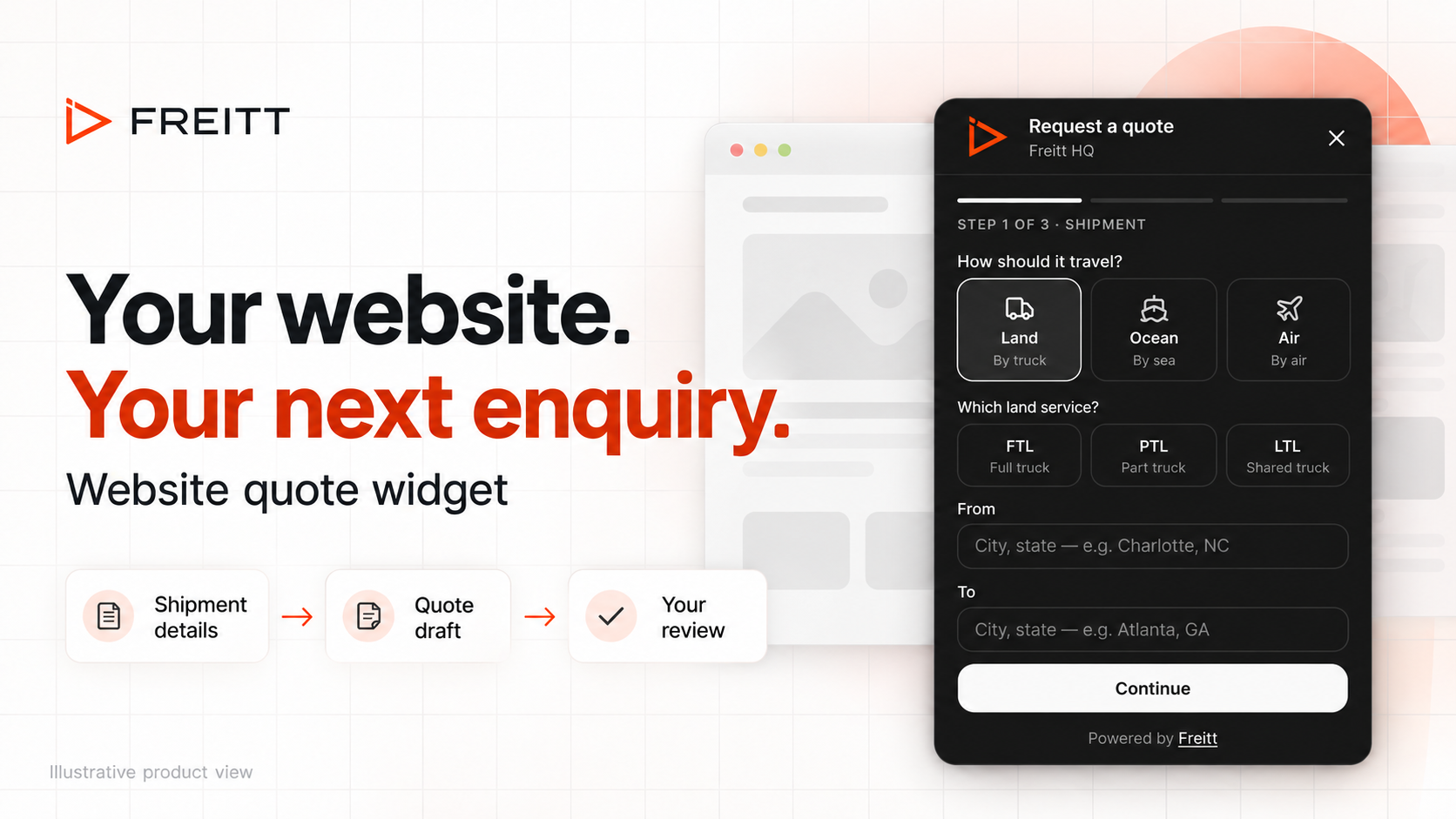
The website widget collects shipment information before the request enters your quoting workflow. Illustrative product view based on the updated widget.
Submitted requests land in Review, where Freitt prepares a draft using your rate book. Your team can check the shipment details and pricing, review the response, and approve it before sending.
To add the widget, open Settings → Website & forms and use the website widget embed snippet on your site. The settings page also includes a working widget so you can try the experience. A request submitted there is a real request and will appear in Review.
Webhook Integration: Connect the forms you already use
If your website already has an enquiry form, the new webhook integration lets you connect it to Freitt.
A webhook passes a form submission to Freitt when a customer sends it. You can use the webhook URL from Settings → Website & forms with a form builder or automation tool that can send a compatible request, including tools such as Webflow, Tally, Jotform or Zapier.
Freitt accepts JSON or form posts and reads the submitted fields in a similar way to an incoming email. Your form can keep its existing field names. Include the customer’s email address so Freitt knows who the quote draft should be addressed to.
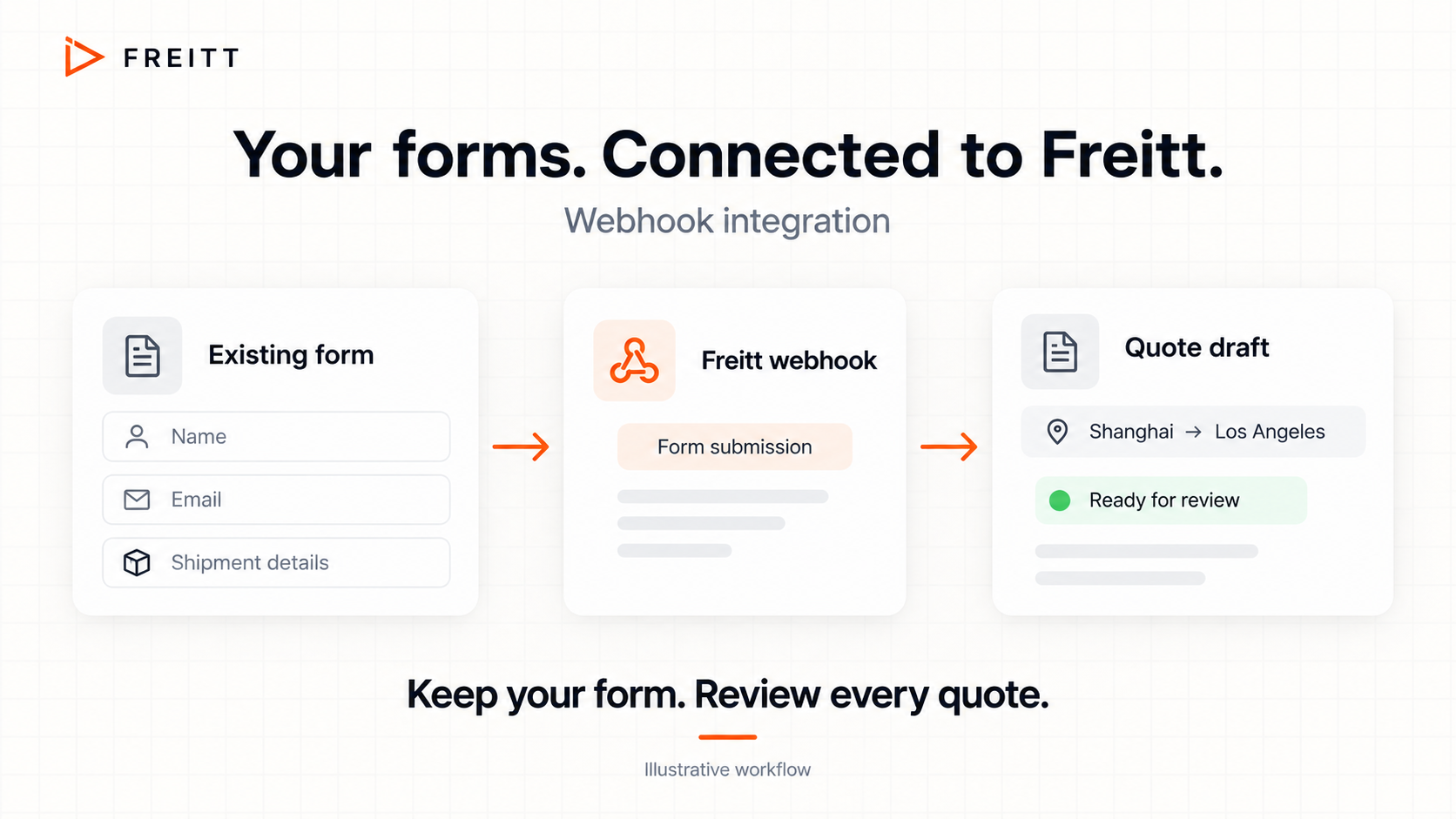
Connect an existing form to Freitt and bring its submissions into the quote review process. Illustrative workflow.
This is useful when you already have a form customers recognise, or a form built for a particular service. You can keep that customer experience and connect the submission to the quoting work inside Freitt.
The website widget and webhook have separate keys and controls. You can replace a key or turn off either intake method from its settings. Replacing a key invalidates the old URL or embed snippet, so update the corresponding connection when you make that change.
Dedicated CRM: Track enquiries and quotes effortlessly
Capturing a request is the beginning. Your team also needs to see which quotes are waiting for approval, which have been sent, and which enquiries need another conversation.
The new dedicated CRM brings leads from the quote widget together with enquiry and quote tracking. Its Deals board organises requests by the stage their quote has reached, giving your team a shared view of the work in progress.
Stages include New deal, Quote awaiting approval, Quote sent and Cold / ghosted. When a customer answers, you can move a sent quote to Won or Lost to record the outcome.
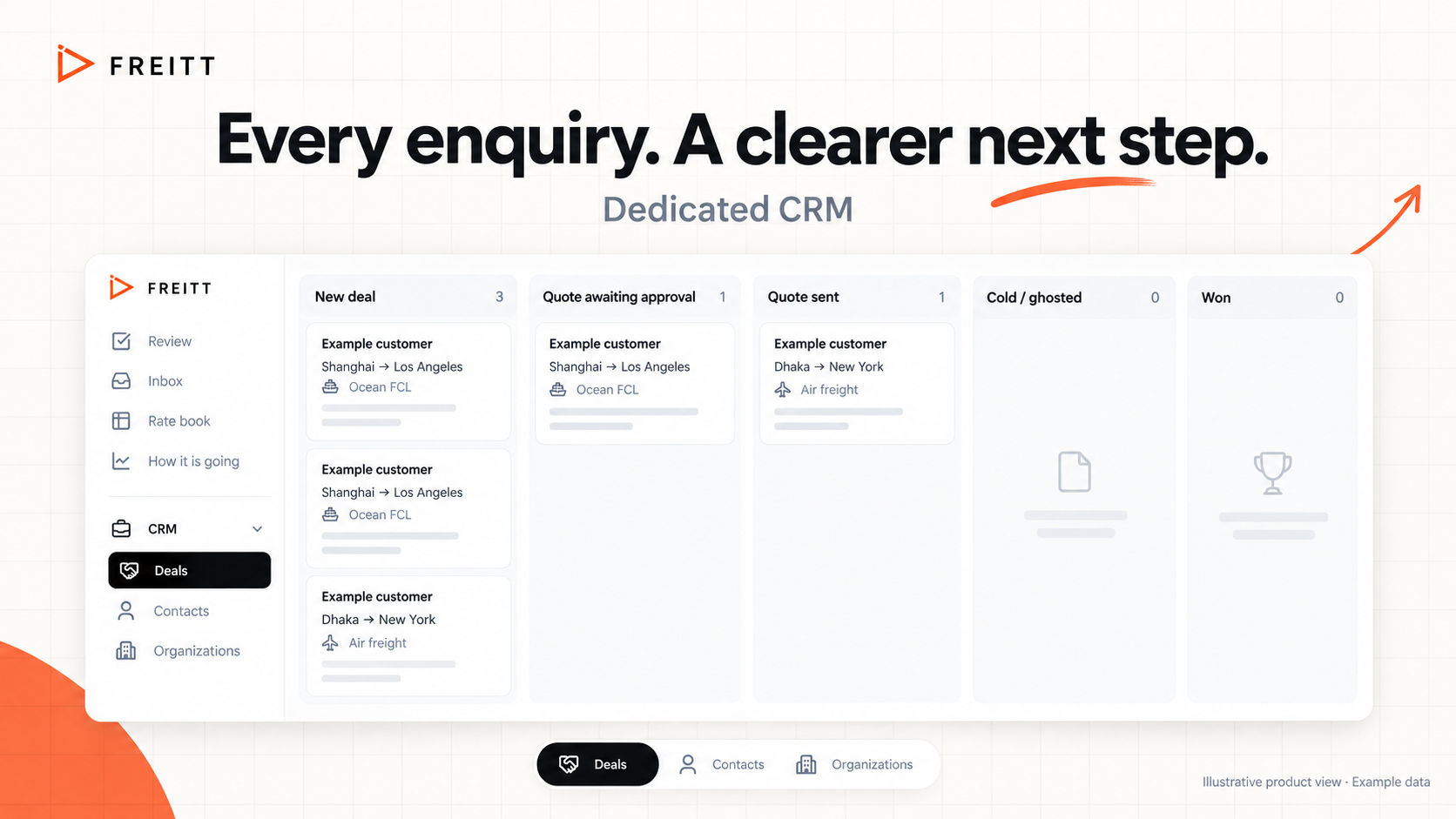
The Deals board shows where enquiries sit in the quoting process. Illustrative product view with example data.
Deal cards keep useful shipment context visible, including the customer, route, transport details and quote value where available. The CRM also includes Contacts and Organizations, alongside Deals.
With these details in one place, your team can see which request needs attention without first reconstructing its status from separate conversations.
From the first request to the next follow-up
For example, imagine a customer requesting a full truck shipment from Charlotte, North Carolina, to Atlanta, Georgia.
The customer starts on your website. They open the widget, choose Land and FTL, enter the route and complete their request.
The request reaches Review. Freitt brings the submitted details into the quote preparation process for your team to check.
Your team reviews and sends the quote. You check the details and pricing before the response reaches the customer.
The enquiry remains visible in CRM. You track the quote’s progress and record the outcome when the customer responds.
If that customer uses an existing connected form instead, the webhook provides another way to bring their submission into Freitt’s quoting workflow.
Your team reviews every quote. These features help collect information and prepare the response. Your team makes the final decision before sending it to the customer.
FAQ
Does Freitt send website quotes automatically?
Your team reviews and sends every quote. Website requests enter Review so you can check the shipment details, pricing and response before the customer receives it.
Can I connect an existing enquiry form?
Yes. The webhook integration accepts JSON or form posts from compatible form builders and automation tools. Include the customer’s email address so the quote draft can be addressed to them.
What shipment options does the widget show?
The Shipment step offers Land, Ocean and Air. When Land is selected, customers can choose FTL (full truck), PTL (part truck) or LTL (shared truck), then enter their origin and destination.
Where can I find the widget and webhook settings?
Open Settings → Website & forms. This is where you’ll find the website widget embed snippet and the webhook connection details.
What can I track in the CRM?
The Deals board tracks enquiries through quote stages such as New deal, Quote awaiting approval, Quote sent and Cold / ghosted. You can record Won or Lost when a customer responds. Contacts and Organizations are also available in the CRM.
Does testing the widget create a real request?
Yes. The widget shown on the settings page submits a real request, which appears in Review.
Try it and tell us what you think
Start in Settings → Website & forms to explore the widget or connect an existing form. Then open CRM → Deals to see how your enquiries and quotes are organised.
We’d love to hear how these features fit into your day. Is the widget collecting the details your team needs? Is your existing form connecting as expected? Does the Deals board make it easier to see what needs attention?
If you received this update by email, reply with any feedback, questions or issues you encounter. Tell us what you were trying to do and what happened, and we’ll be happy to help resolve problems as quickly as possible.
Thank you for helping us shape Freitt.
Book A Demo: https://calendly.com/kim-freitt/30min
Want to see this run on your own lanes? Bring one RFQ and the matching rate sheet to a 30-minute live quote session.
See it live
See Freitt quote one of your real RFQs.
Bring one rate request and the matching rate sheet. We’ll show you how Freitt reads it, prices it and drafts the reply.
30 minutes · no deck · your rates stay private